8.13 Postponed Processing
8.13.1 Overview 
In the Postponed Processing area, you see all emails whose processing by this profile is still pending - because a waiting period has been set under General -> Postpone processing. As soon as the delay has elapsed, the email is processed in the next regular processing run.
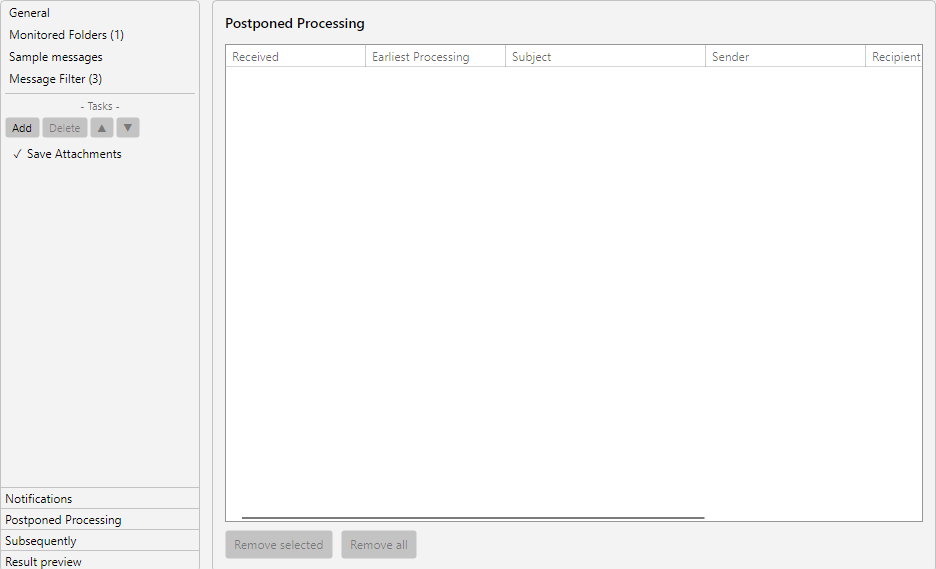 Profile settings, Postponements area: list of postponement configurations with schedule and resume conditions
8.13.2 When Does an Entry Appear Here? 
An entry is created at the moment the profile first recognizes an incoming email and would process it according to its filters, but the delay prevents this. The entry remains in the list until:
- the set delay has elapsed and processing has occurred
- the entry is removed manually (see below)
- the profile is disabled or deleted
- the associated email disappears from the mailbox (e.g. manually deleted)
8.13.3 Columns 
| Column |
Description |
| Received |
Date and time when the email arrived in the mailbox |
| Earliest processing |
Calculated time from which the profile may process the email |
| Subject |
Subject line of the email |
| Sender |
Name of the sender |
| Recipient |
Recipient address |
| Attachments |
Names of the attachments, if any |
The list can be sorted by any column by clicking the column header.
8.13.4 Buttons 
At the bottom of the list you will find two buttons:
| Button |
Effect |
| Remove selected |
Cancels the selected postponements - the emails will no longer be processed by this profile |
| Remove all |
Cancels all postponements of this profile after a confirmation prompt |
Multiple entries can be selected with the Ctrl or Shift key.
8.13.5 Cancellation 
A cancellation removes the postponement without changing the email itself. The email remains in the mailbox. In the next processing run, it is not picked up again by this profile, because it remains in the internal list of emails already seen.
Use cases for cancellation:
- You have changed the profile or the filters and want to prevent the old postponement from taking effect
- An email originally to be processed with a delay has meanwhile been handled in another way
- The postponement list has become unclear due to long waiting times
8.13.6 Global Postponement Manager 
This profile page only shows the postponements of the current profile. An overview of all postponed processing across all profiles is available via the Manage Postponed Processing button in the log toolbar (see Chapter 5.5). There, postponements can be canceled across profiles.
8.13.7 Connection to the “Postp.” Column in the Profile List 
In the profile list, the Postp. column shows the number of entries in this list. A value greater than zero means that the profile is currently waiting for a waiting period to elapse.
Further information: (see Chapter 4.2.7) and (see Chapter 60.1).