40.15 Notifications
40.15.1 Overview 
In the Notifications area you set the default account through which all email notifications are sent - both the program-wide notices (e.g. malfunction notification) and the profile-specific notifications (see Chapter 8.14).
In addition, a separate identity can be configured for automatic replies, so that such replies are sent under a different address than the internal notifications.
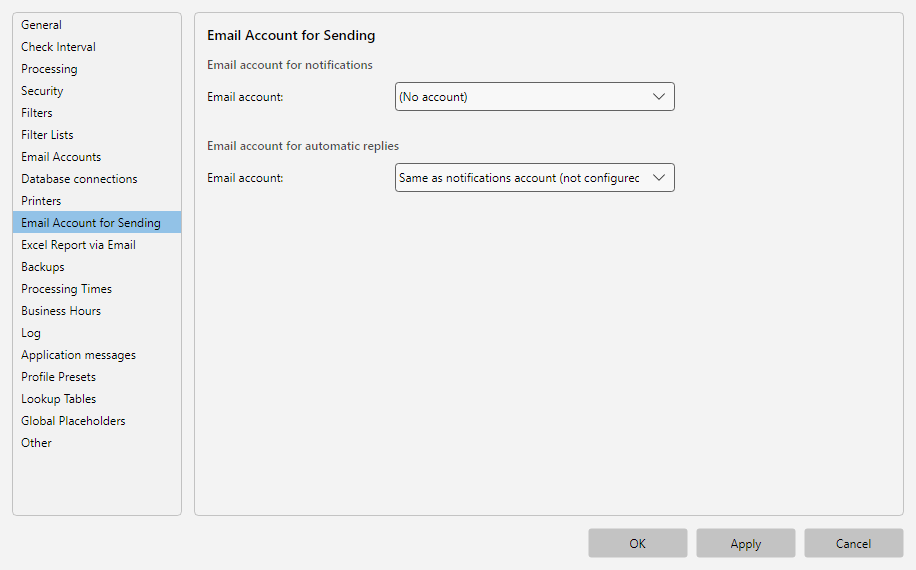 Program options, Notifications area: sending account for notification emails, global recipients and toast control
40.15.2 Email Account for Notifications 
| Field |
Description |
| Email account |
Selection from the accounts configured under Email accounts. This account is used for all notification emails triggered in the profile or globally |
Note: If no account is chosen here and a profile would trigger a notification, a warning in orange text appears in the profile editor under Profile settings - Notifications.
Tip: If the name or address shown in the From field should differ from the login name, set this once at the account under Email accounts - Edit - Sender identity (see Chapter 40.12.4). The values maintained there apply uniformly to all sending paths, so that e.g. notifications, replies and forwards carry the same sender name.
40.15.3 Email Account for Automatic Replies 
Allows automatic replies of the Reply task (see Chapter 13) to be sent via a different account than the internal notifications. Useful if the auto-reply should go out under a customer-friendly address like support@company.com, while internal notices come from the internal server.
| Choice |
Effect |
| Same as notification account |
Uses the same account as for notifications |
| Different account |
Selection from the available email accounts |
Note: Account resolution in the Reply task happens in four stages (see Chapter 13.5). This setting acts as stage 2 (before the default sending account).
40.15.4 Use Case 
Auto-reply under customer address
Notification account: aep-service@company.com. Auto-reply account: support@company.com. While internal emails go via the service account, customers see the friendly support address for automatic replies.