40.12 Lookup Tables
40.12.1 Overview 
Lookup tables assign fixed result values to invoice values (e.g. the seller name) - such as target folders, vendor numbers, or clerk abbreviations. They are referenced as the placeholder <CSVMapping{Name}> wherever placeholders are supported (concept and examples: see chapter 70.2).
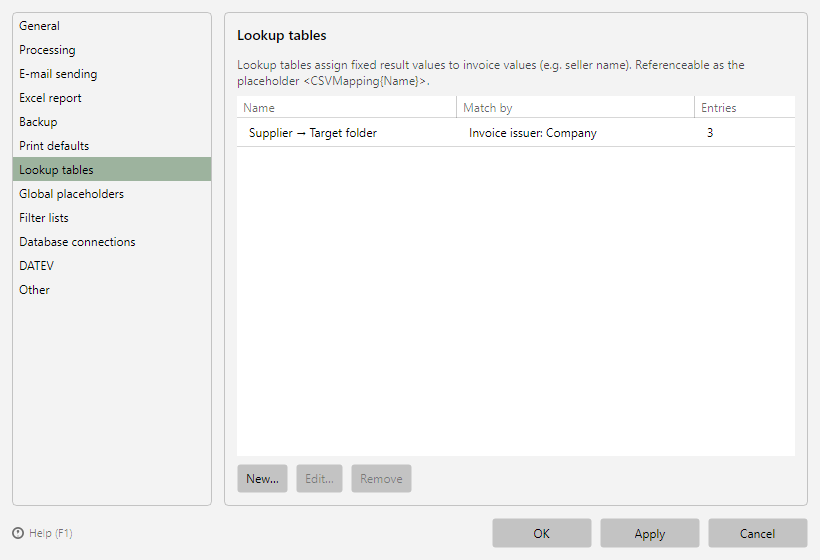 Program options, Lookup tables page
40.12.2 Management 
The page lists all lookup tables with name, matched via, and the number of entries. New..., Edit..., and Remove manage the tables; the editor opens in its own window.
40.12.3 Editor window 
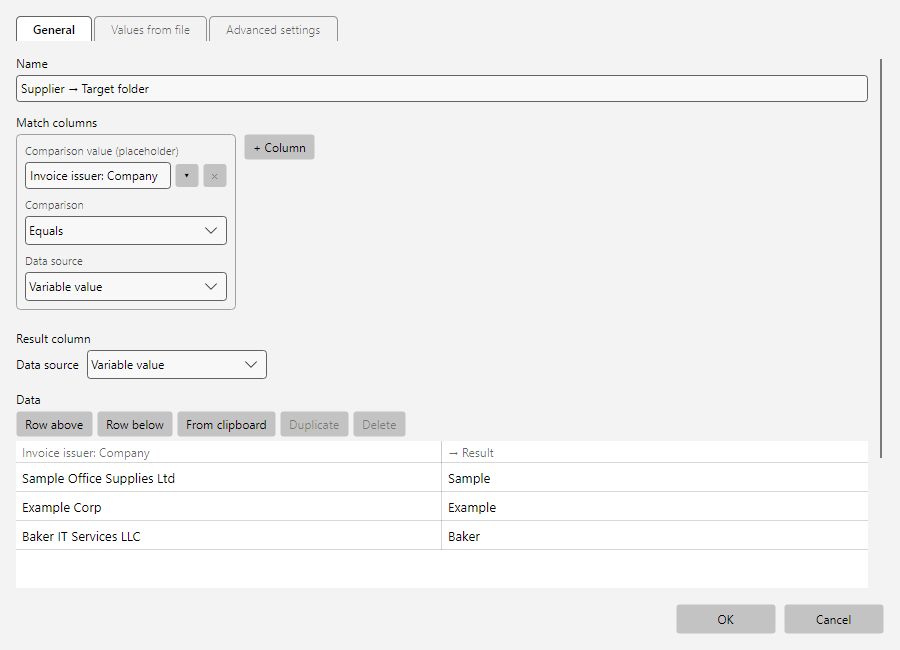 Editor of a lookup table with data area and CSV options
| Area |
Content |
| General |
Name, match columns (which column(s) are compared with the invoice value), result column, data area with row tools (row above/below, duplicate, delete, paste from clipboard), and preview |
| Values from file |
Instead of manual maintenance, import the entries from a CSV file (file path, delimiter, encoding, "first row contains column headers") |
| Advanced |
Ignore case, Replace result with (post-processing of the match), Determined value may be empty, and the processing status when no match is found (no match or error) |
Related: Fixed name-value pairs without table logic are maintained on the dedicated options page Global placeholders (see chapter 40.13).