15 Print File
15.1 Overview 
The print task prints the invoice. What is printed is determined by the processing mode (see chapter 8.7) and the selected task variant:
| Task |
Available |
Printed document |
| Print PDF file |
PDF mode |
The ZUGFeRD/Factur-X PDF itself |
| Print visualization |
all modes |
The automatically generated visualization (readable PDF) of the invoice data (see chapter 12) - including the optional header (Left/Center/Right, see chapter 12.3) |
In PDF mode, both variants are therefore available - the original and the visualization can be printed within the same profile.
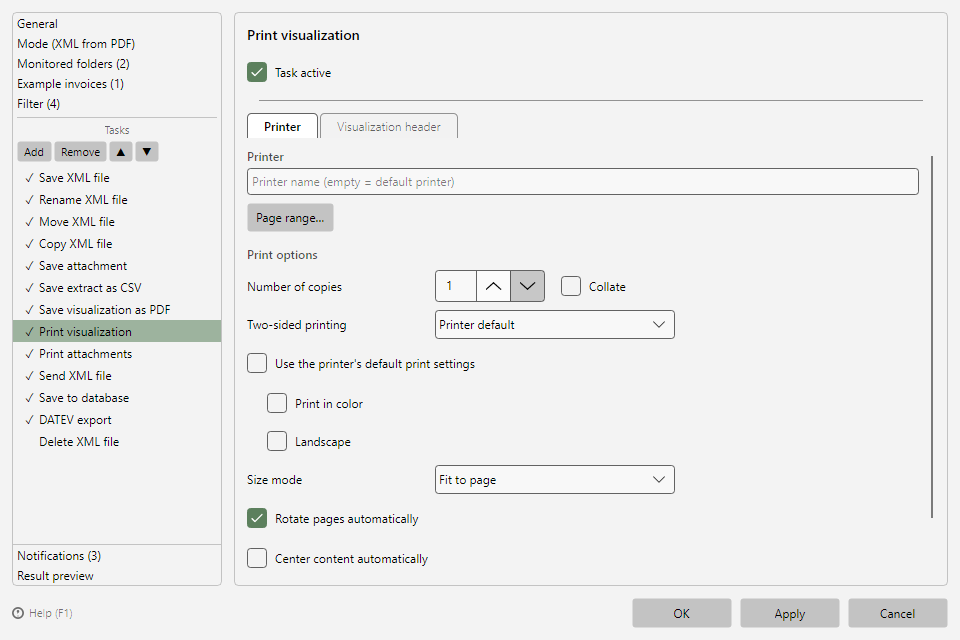 Print file task with printer tab and visualization header
15.2 "Printer" tab 
| Setting |
Meaning |
| Printer |
Printer name; empty = default printer |
| Save as file via PDF printer |
Instead of printing physically, the print output is stored as a PDF file - with Output folder, File name (pattern) (placeholder support), and conflict behavior |
| Page range... |
Restricts printing to certain pages |
| Print options |
Copies, collate, color, duplex, orientation, size mode (preset in the program options, page Print defaults, see chapter 40.11) |
15.3 Behavior on printer problems 
Before printing, the program checks whether the printer exists and is ready; on problems, an error entry appears in the processing log (the file is not lost and can be processed again via the context menu, see chapter 6.4). The extended availability check can be simplified in the program options under Other in case a printer driver reports incorrect status values (see chapter 40.17).