8.9 Example Invoices
8.9.1 Overview 
Example invoices are invoice files (PDF/XML) against which you can safely test the profile configuration: the filter is checked against them in the result preview (see chapter 8.11), and placeholder previews on the task pages show the values of the selected example invoice. The files are only read, never processed.
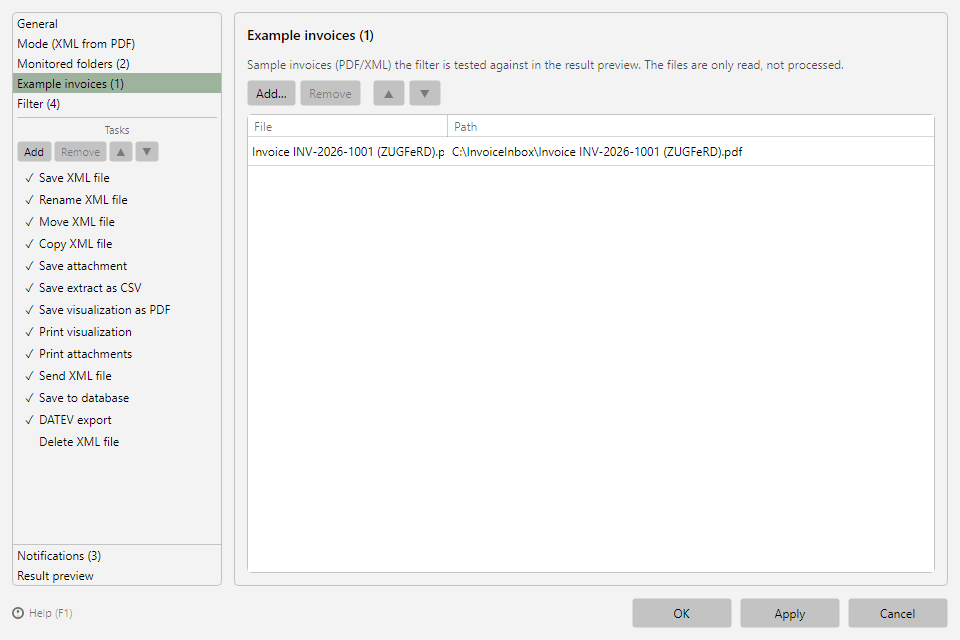 Profile settings, Example invoices area with one added file
8.9.2 Buttons 
| Button |
Function |
| Add… |
Add invoice files (PDF/XML) via the file dialog |
| Remove |
Removes the selected entry from the list (the file itself remains) |
| ▲ / ▼ |
Change the order |
If a referenced file no longer exists on disk, the entry is marked accordingly.
8.9.3 Adding example invoices from the log 
Already processed invoices can be adopted directly from the log list: context menu of the entry → Add file to the sample invoices (see chapter 6.4).
Tip: Store one typical invoice for each of your most important suppliers. That way you can see immediately whether filter and tasks fit all cases while adjusting the configuration.