10 Save Attachment
10.1 Overview 
The Save attachment task stores the invoice's "attachments" as files. What counts as an attachment depends on the processing mode (see chapter 8.7) - in PDF mode the task is therefore called Save XML attachment, in the XML modes the settings page names the source file in its heading ("Save attachments of the XML file"):
| Mode |
Saved attachments |
| Process PDF file |
The invoice XML embedded in the PDF (ZUGFeRD/Factur-X) |
| XML modes |
The additional documents embedded in the invoice XML (e.g. attached time sheets, delivery notes, measurements) |
If no matching attachments are found, the task reports "No match" in the processing log.
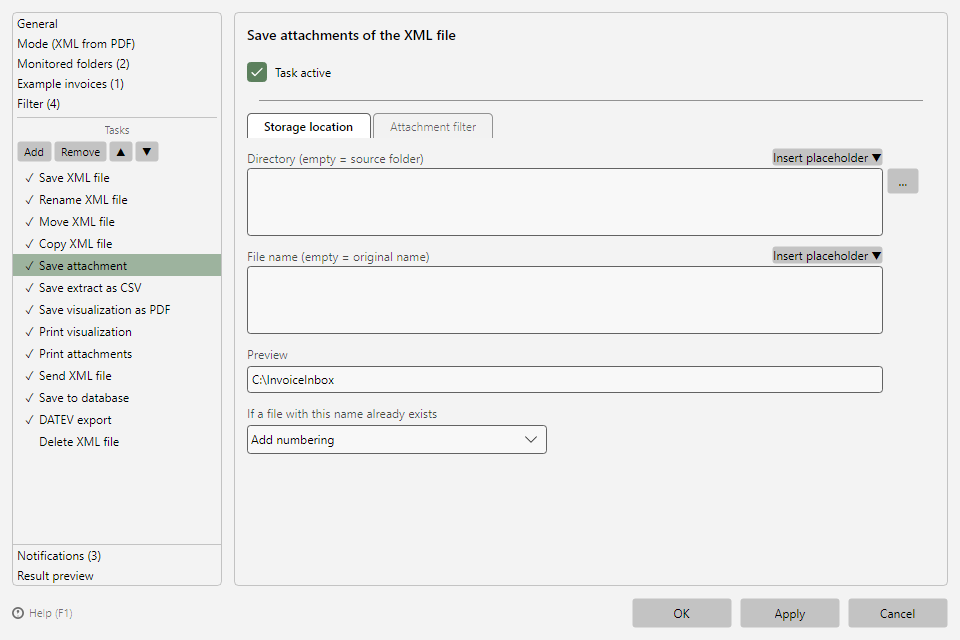 Save attachment task with storage location and attachments tab
10.2 "Storage location" tab 
Layout and conflict behavior as for all saving tasks (see chapters 9.2 and 9.3). If the file name is left empty, the original attachment name is used.
10.3 "Attachment filter" tab 
Filters the attachments to be saved by their name (when criteria are entered, the tab shows their count as a suffix, e.g. "Attachment filter (1)"):
| Field |
Effect |
| Attachment name contains |
Only attachments whose name contains the text are saved |
| Attachment name does not contain |
Attachments whose name contains the text are skipped |
Typical use: in PDF mode, archive the XRechnung XML alongside the PDF; in XML mode, file supplied evidence documents (e.g. Timesheet.pdf) separately.