40.9 Excel Report (Configuration)
40.9.1 Overview 
The Excel report page sets up automatic reports of the processing runs - e.g. an overview of the previous week for accounting every Monday morning. The structure of the report is described in chapter 80.3; a one-off report can be created at any time via the log toolbar (see chapter 5.3).
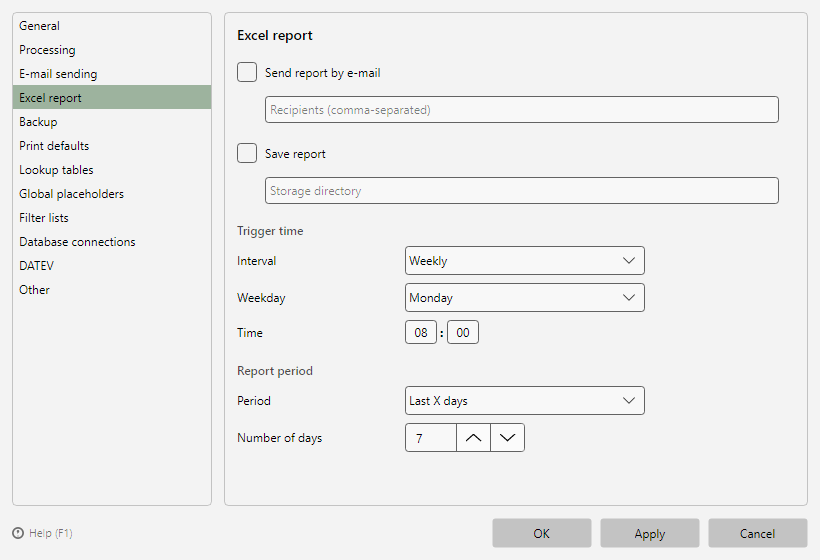 Program options, Excel report page
40.9.2 Output 
| Option |
Meaning |
| Save report |
Stores the report in the given storage directory |
| Send report by e-mail |
Sends the report to the given recipients (comma-separated) - sending method per chapter 40.8; the ▼ button offers the recently used recipients |
40.9.3 Trigger time 
Interval Daily, Weekly or Monthly, each with a time; for Weekly additionally the weekday, for Monthly the day of month.
40.9.4 Report period 
| Selection |
Report content |
| Today |
Processing runs of the current day |
| Previous day |
Processing runs of the previous day |
| Previous week |
Processing runs of the past week |
| Previous month |
Processing runs of the previous month |
| First of month until now |
Current month |
| Last X days |
Freely selectable number of days |
Tip: Combine trigger time and period sensibly - e.g. interval "week, Monday 06:00" with period "previous week".