16 Print Attachments
16.1 Overview 
The Print attachments task prints the additional documents embedded in the invoice XML (see chapter 10.1). The settings page names the source file in its heading ("Print attachments of the XML file"). PDF files and images (BMP, GIF, JPG/JPEG, PNG, TIF/TIFF) are printed; other file types are skipped. Without matching attachments, the task reports "No match".
Note: This task is not available in the "Process PDF file" processing mode: the only attachment there is the embedded invoice XML, and XML files are not printable. When a profile is switched to PDF mode, existing "Print attachments" tasks are removed from the task list with a notification.
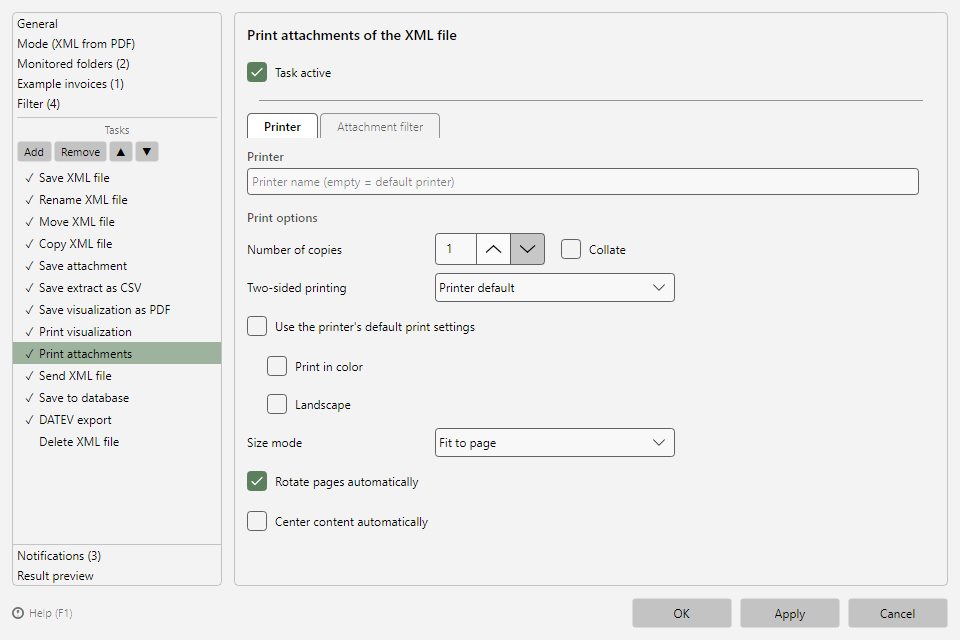 Print attachments task with printer and attachments tab
16.2 "Printer" tab 
Printer name (empty = default printer) and print options as for Print file (see chapter 15.2); the printer check behaves identically as well (see chapter 15.3).
16.3 "Attachment filter" tab 
Filters the attachments to be printed by their name - Attachment name contains / Attachment name does not contain (see chapter 10.3). When criteria are entered, the tab shows their count as a suffix, e.g. "Attachment filter (1)".
Typical use: automatically print attached evidence documents (delivery notes, time sheets) while the invoice itself is printed via Print file.